
To edit or delete a 'Spec note', click on the menu in the top right-hand corner of the note.
- The buttons to edit and delete a note are hidden when you do not have sufficient permission to take those actions.
For more information on who can edit and delete notes, please see the Permissions for notes support article. - When a note is edited, the timestamp is updated, and an "edited" label is attached.
Related articles:
- Adding hyperlinks to your specification
- Permissions for spec notes
- ‘Shared notes’ and ‘Internal notes’
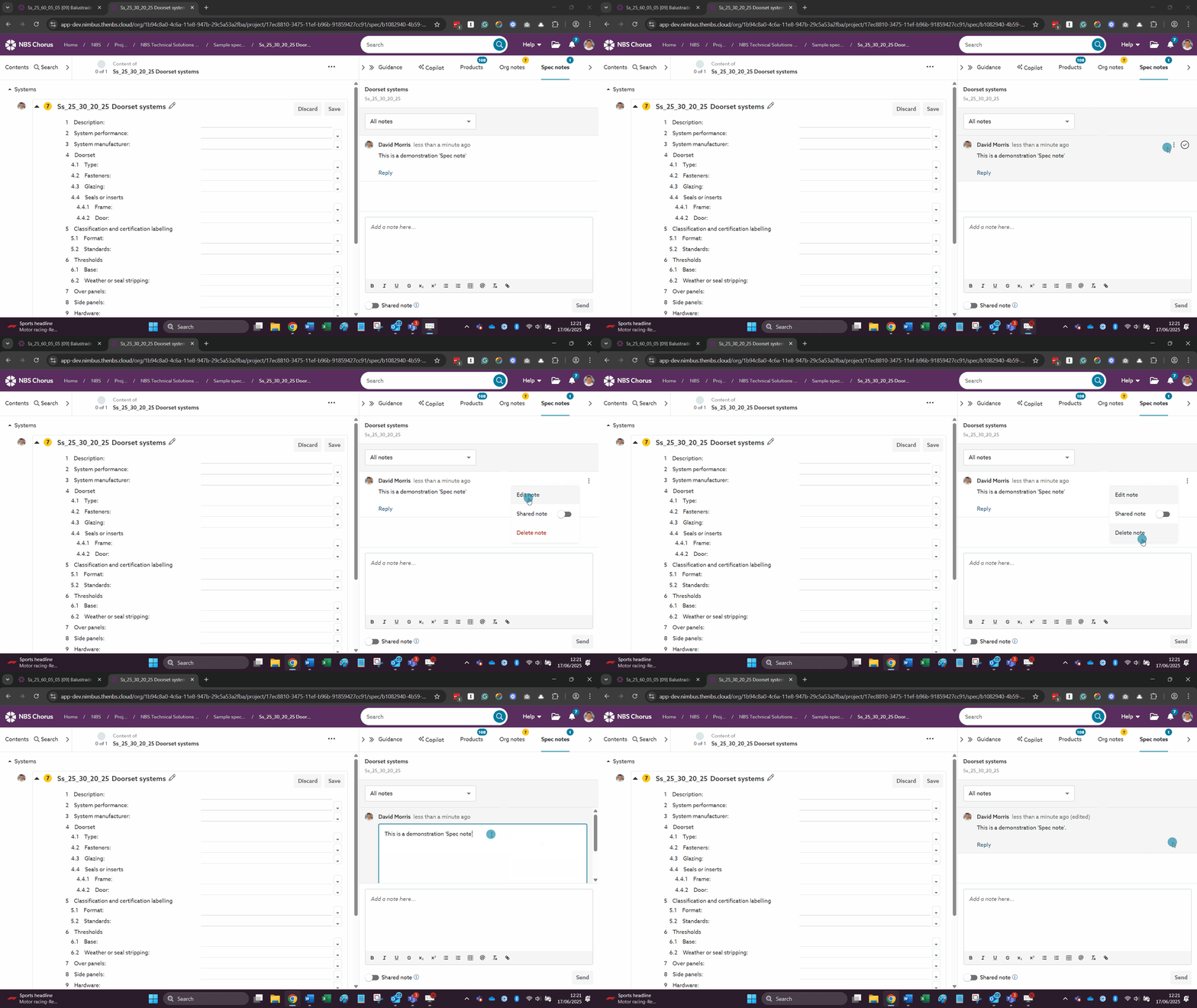
A screen capture showing the 'Edit note' and 'Delete note' options.