
To delete a project or master folder please follow these steps:
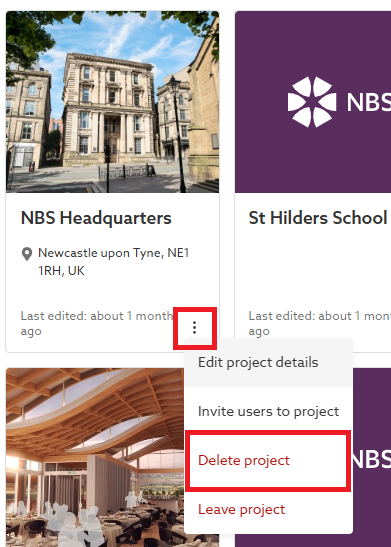
1. For the project/ master folder to be deleted. On the tile view of the dashboard, click on the 3-dot menu button in the bottom right-hand corner of the tile. Or, on the list view of the dashboard, click on the 3-dot menu button at the right-hand side of the grid.
2. Select the 'Delete project' (or 'Delete master folder') option.
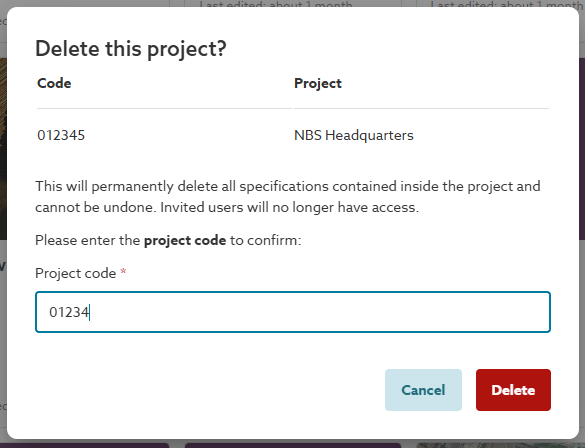
3. Enter the first 5 characters of the 'Project code' (or Master folder code) and click on the 'Delete' button. The 'Project code' field is case insensitive. If the project code has less than 5 characters, enter the full code.
Note: Project and Master Administrators can delete projects and master folders. Contributors cannot delete them.
Related: Collaboration roles and permissions - Projects & master folders