
Once you have created your Project, you have a few ways you can add content. You can either search for Products and Manufacturers using the search function at the top of the page, or by using the 'Browse' tab.
Adding Objects Via The Search Function
If you know specifically what you are searching for, be that a specific Product by a certain manufacturer, or certain type of object you can enter your search term in the 'Search NBS LCA...' search bar:

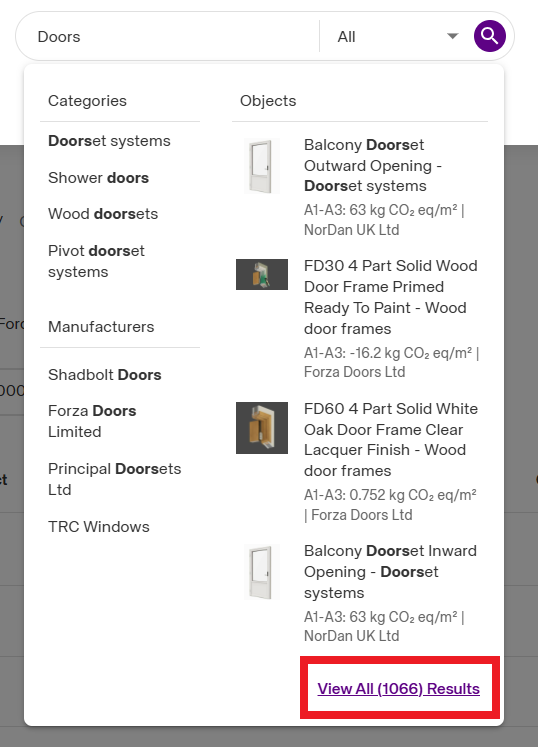
Once you have entered your search term, a list of matching content will appear.
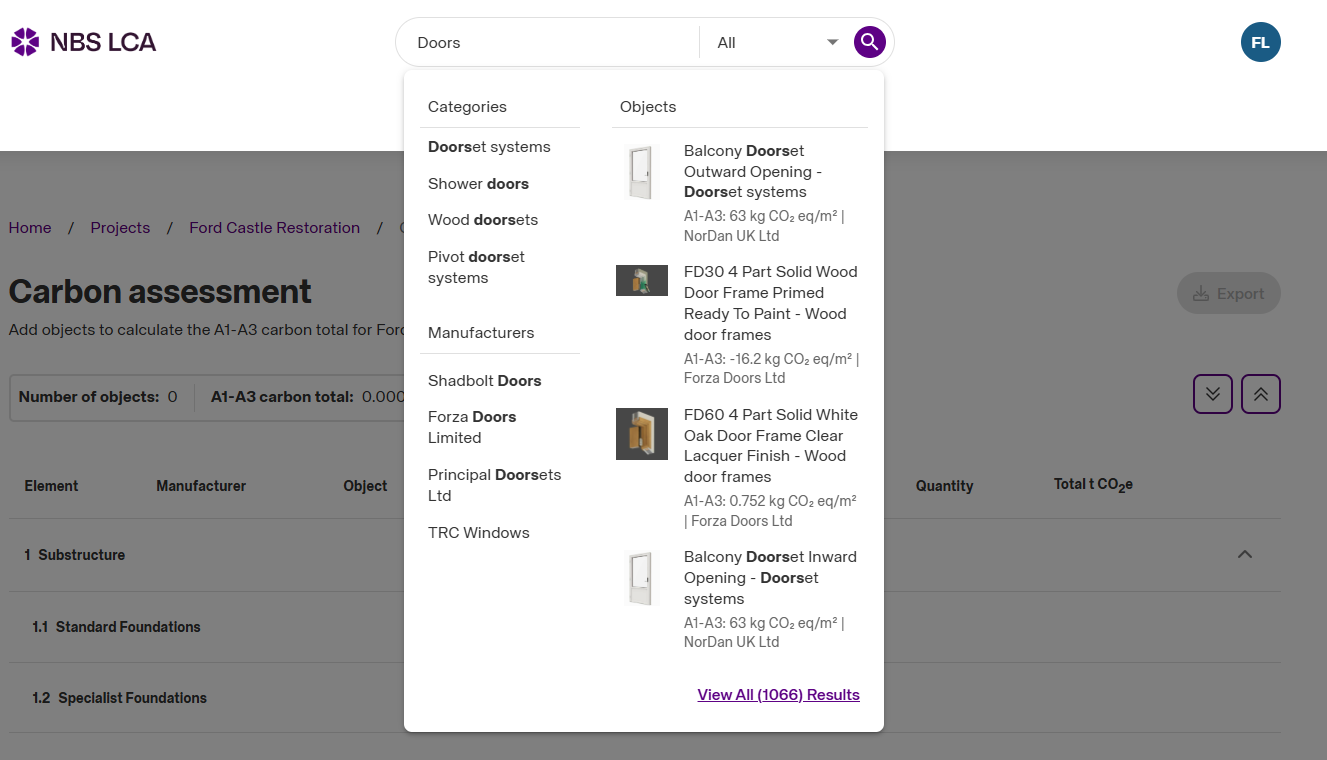
You can refine your search further to only show 'Objects' or 'Manufacturers' by selecting the drop-down to the right of the search feild.
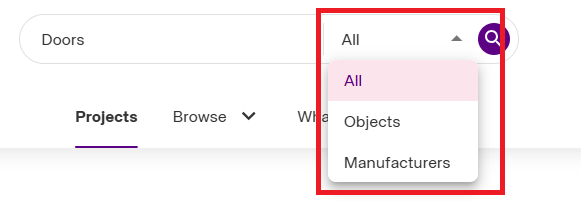
If the results you are looking for don't appear in the drop-down menu, or you wish to further refine your search, you can do so by selecting the 'View All Results' option in the bottom right of the drop-down window.
Using the 'Browse' Tab
The second way of searching for content is to browse the library of Manufacturers and object categories. You can access this function by selecting the 'Browse' tab at the top of the NBS LCA platform.

Once you select this tab, you will get the option to either browse 'All Categories' or 'Manufacturers'.
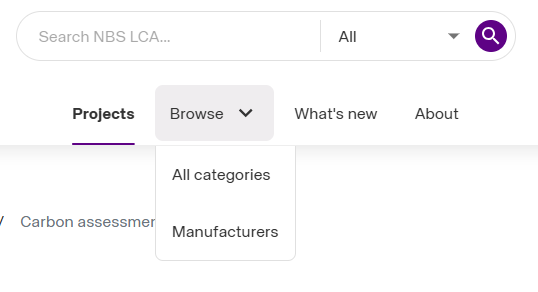
Either option will then take you to a list where you can browse the NBS LCA object library.
Adding the Object to the Project
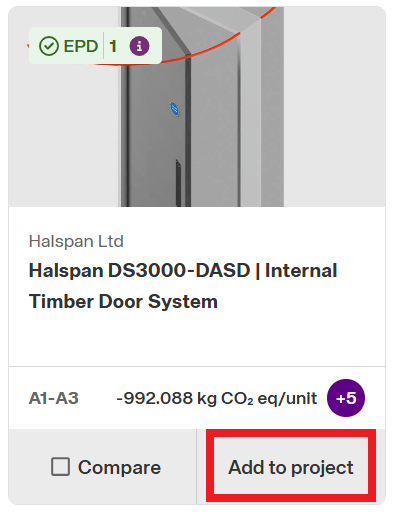
Once you have located the object you wish to add to your Project, you can add from the list of results by selecting the 'Add to Project' button.
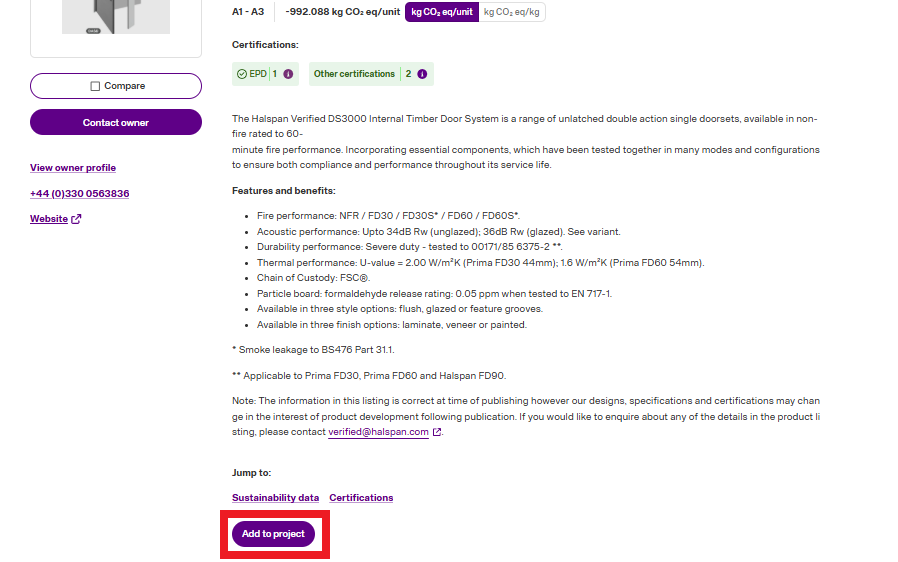
Or, if you have an object open, you can add it to the Project by selecting the 'Add To project' button within the Object page.
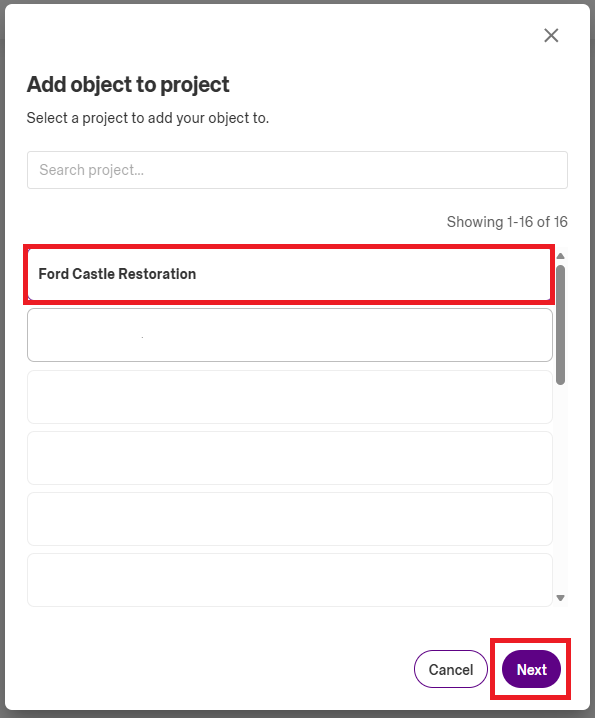
The next step is to choose which project you'd like to add the Object to.
Finally, you have the opportunity to specify the quantity of objects to be used, and the location in the structure this object is to be used.
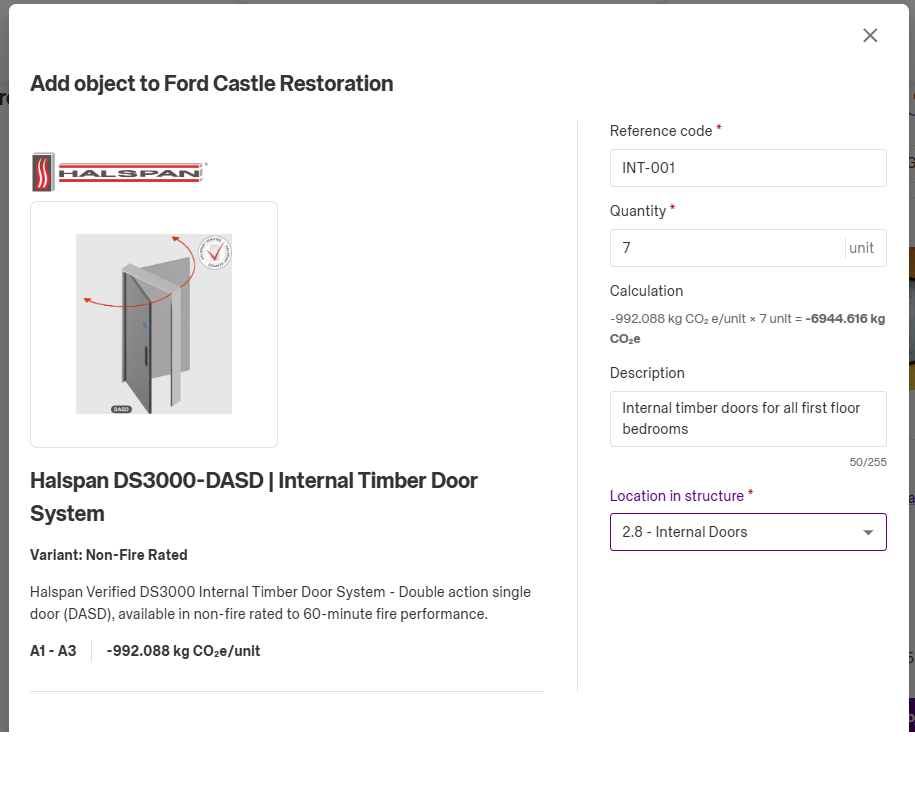
Fields marked with a red asterisks are mandatory before adding to your Project. These fields are editable at a later date if needed.
Once you have entered the required detail. Select either the 'Add and Go To Projects' option, or the 'Add and Close' option.