
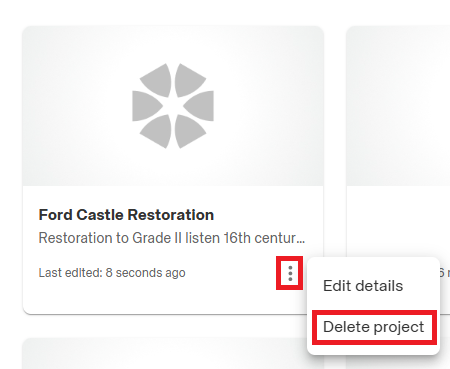
You may on occasion wish to remove a Project which is no longer required. You can do this by locating the Project on your 'Projects' dashboard and selecting the 3-dot menu icon in the bottom right-hand corner of the Project card and selecting 'Delete Project' :
Important: Once a Project has been deleted you will not be able to recover it, so please ensure you are deleting the correct Project and you have extracted any and all information you may need in future.