
‘Import unstructured documents’ enables you to import MS Word and PDF-based specification documents into the platform.
You would use ‘Import unstructured documents’ when:
- Your specifications are in PDF format.
- Your MS Word documents are not formatted according to the ‘USA’ schema in Importing Microsoft Word-based specifications.
Before you begin, ‘Import unstructured documents’ is designed for:
- Importing your practice masters. By this, we mean multiple files, each representing a single section with 20 pages or fewer.
- This import method is not recommended for files with more than 20 pages, such as complete specifications or single files with multiple sections.
- You can import PDF, .docx and .xml files, including .zip archives containing multiple files of these formats.
- .doc, .rtf, and .txt formats are not supported.
- You are importing Canadian and USA-MasterFormat 3-Part specifications into the 'Canada - NMS and CMS' and 'USA - USMS' content sets.
After you have‘Import unstructured documents’, please review what was imported.
- We recommend reviewing the import report attached to the 'Import successful' email. The report contains a 'Similarity (%)' column containing a score.
- The 'Similarity (%)' compares the plain text between the source document and the imported spec on a paragraph-by-paragraph basis.
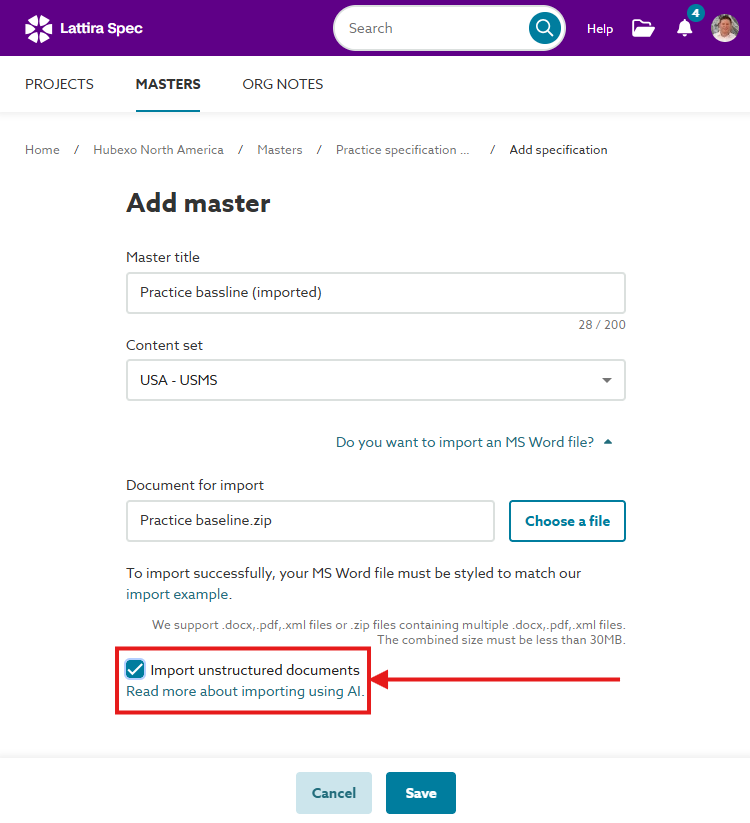
A screenshot of the 'Import unstructured documents' checkbox.
A video demonstration of importing unstructured documents.