
An email will come from the AM requesting the “move” or “copy” of a Glenigan User account to another.
Details from AM required are:
- User ID link from.
- User ID link to

Tip: user ID is the end of the URL to ensure you are on the correct contact to reduce risk of duplicate data in SF
- Transfer data to: Same or different.
- Transfer type: Move or Copy
- Select Data to transfer: each category to be ticked, shown below.
The change is made in Glenigan admin section.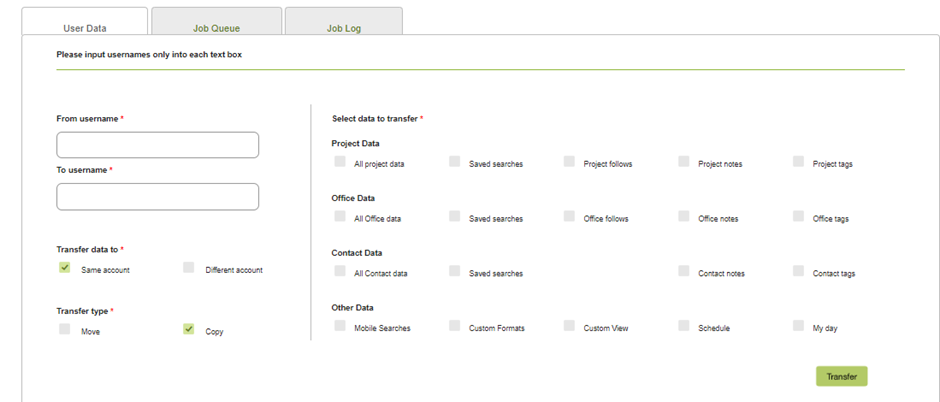
Other data:
Custom formats: created on the site
Customer View; Header settings created
Schedule: copies notifications
My day: Created in the mobile app
The saved searches and everything are linked to the person's account ID which will stay the same even when the email is changed.