
'Exemplar' clauses and guidance are provided for authors to incorporate into their bundles. This article explains how to copy exemplars into your bundle.
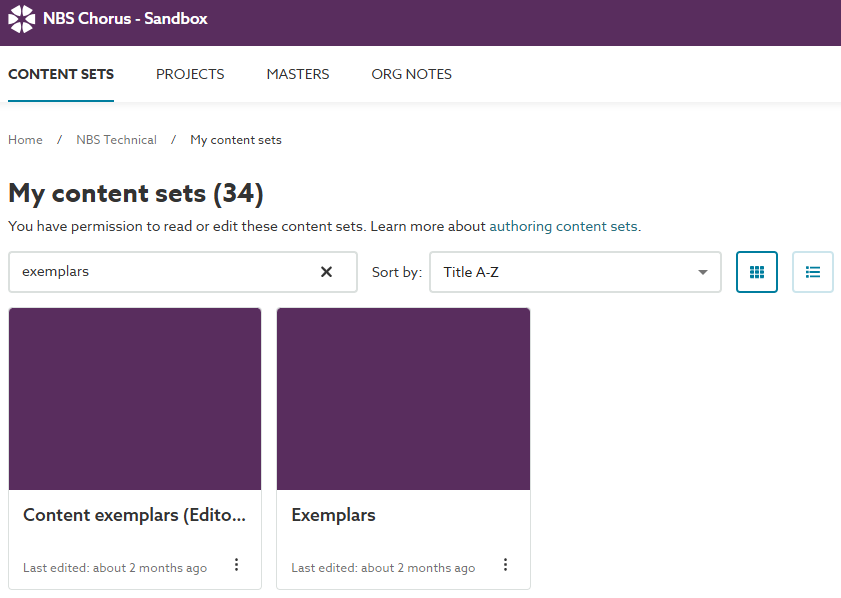
A screenshot of the 'Content exemplars (Editors)' and 'Exemplars' content sets on Chorus Sandbox.
Exemplar content sets
Two content sets have been set up in Chorus Sandbox to house the exemplars. These exemplar content sets are special in that they can support bundles for different content sets.
- 'Content exemplars (Editors)'
- Hosts the single source of truth for the exemplar clauses.
- Only accessible to the Editors and Copy-editors.
- Please make a request to the Chorus development team for:
- Adding more team members to this content set.
- Adding additional content set exemplars.
- 'Exemplars'
- Hosts the most current versions of the exemplars approved for use by the technical team in your bundles.
- Please do not edit the exemplars in this content set.
- You'll need to copy the target exemplar clause into your authoring bundle and do any further editing (e.g. add content and remove author's notes) in the bundle.
- Please make a request to the Chorus development team for:
- Adding more team members to this content set.
Copying exemplar clauses into your authoring bundle
To copy an exemplar clause into your bundle, follow these steps:
- Navigate to the 'Exemplars' content set on Chorus Sandbox. You can do this in a new browser tab.
- Open the appropriate bundle for the content set you are authoring.
- Navigate to the specification 'Editor' and find the clause you want to copy.
- Click the 3-dot menu.
- Click 'Copy this item'.
- Navigate to your authoring bundle.
- Navigate to where you want to position the new clause.
- Click on the 3-dot menu for the clause above.
- Click 'Paste item'.
- Now renumber and retitle the pasted clause.
Top tips for copying Uniclass work section clauses
'Uniclass work section' clauses behave slightly differently from 'CAWS work section' clauses.
- When adding a new clause type (e.g. a performance clause) which does not exist in your bundle:
- Insert a new clause in your bundle. Apply the correct clause code and title.
- Contact the Chorus Development team, who can change the type in the database.
- Contact David or Martin.
- They will need the URL of your bundle.
- The clause code and title(s)
- The types you want them to become, e.g. System performance, Execution, and so on.
- Now you can copy 'System performance' clauses from the exemplar into your bundle.
- Rename your copied exemplar before linking it to the suggested value in the System outline.