
This article clarifies the implications of mentions in less typical situations.
TOPICS
- Deleting a note containing a mention
- Delete the article, clause or section containing the note with mention
- Revoking a mentioned user’s permissions to the project or master
- Using ‘Consolidate’ for clauses with notes containing mentions
Deleting a note containing a mention
Scenario: If you delete a ‘Spec note’ or ‘Master note’, the note is removed from the 'Spec notes' and 'Master notes' panel and grid. The note contained a mentioned user(s).
Outcome:
The platform automatically removes the notification from the user’s notification menu and ‘My mentions’ area.
- When the user clicks on the 'Open in' button in the mention email, they will be taken to the article, clause, or section that contained the mention. When the user clicks on the 'Open in' button in the mention email, they will be taken to the article, clause or section that used to contain the mention.
Delete the article, clause or section containing the note with mention
Scenario: You delete the clause or section that contained the note with the mention. The same applies if the project or specification containing the mention is deleted.
Outcome:
- The notification will remain in the 'Mentions' section of the notification menu. Clicking it will take the user to the 'Add content' page in the specification or master.
- Clicking the 'Open in' button in the email will do the same as above.
Revoking a mentioned user’s permissions to the project or master
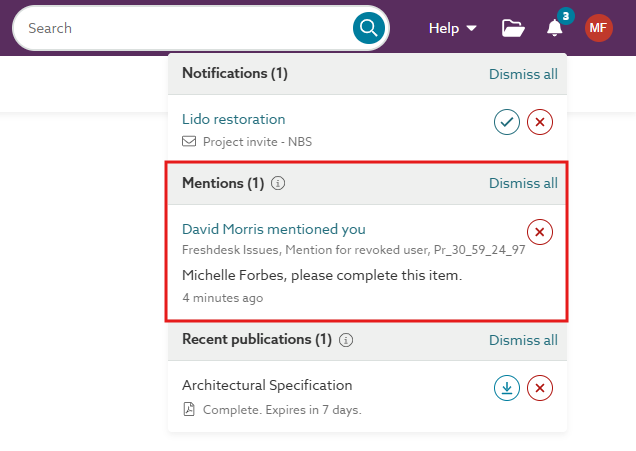
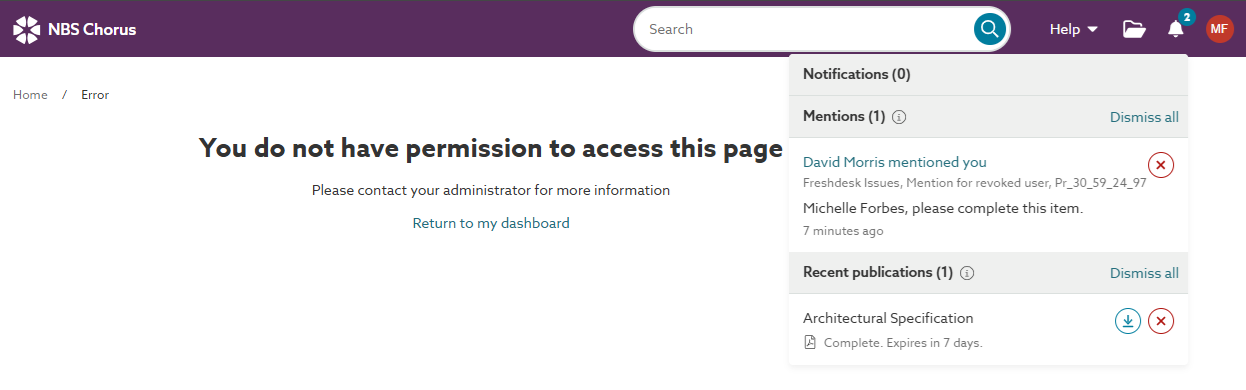
If you revoke a user’s permission to a project or master after mentioning them in a specification, it contain the ‘Mention’ notification as shown as 'revoked'.
If the revoked user tries to open the mention, they are presented with the 'You do not have permission to access this page' message.
Using ‘Consolidate’ for clauses with notes containing mentions
Mentions will still function after using ‘Consolidate’.
When clauses are consolidated, the platform selects a target clause (the most recent ‘version’ of the clause, followed by the most recently edited clause). Any ‘Spec notes’ or ‘Master notes’ associated with the merged clauses are reassigned to the target clause.
Related article: Consolidate - an overview