
When you add a product from Source to your specification, you see the option to ‘Request manufacturer support.’ This option, designed to facilitate communication, allows you to contact the supplier about the product that you are specifying, ensuring that you have all the information you need.
To request support from the manufacturer, use the 'Request manufacturer support' checkbox. You may want to contact them with a technical or sales query or to ask if they offer continuing professional development (CPD). You can include a message and the approximate quantity needed for your project. If the manufacturer has provided multiple contact options, direct your query to the most appropriate contact
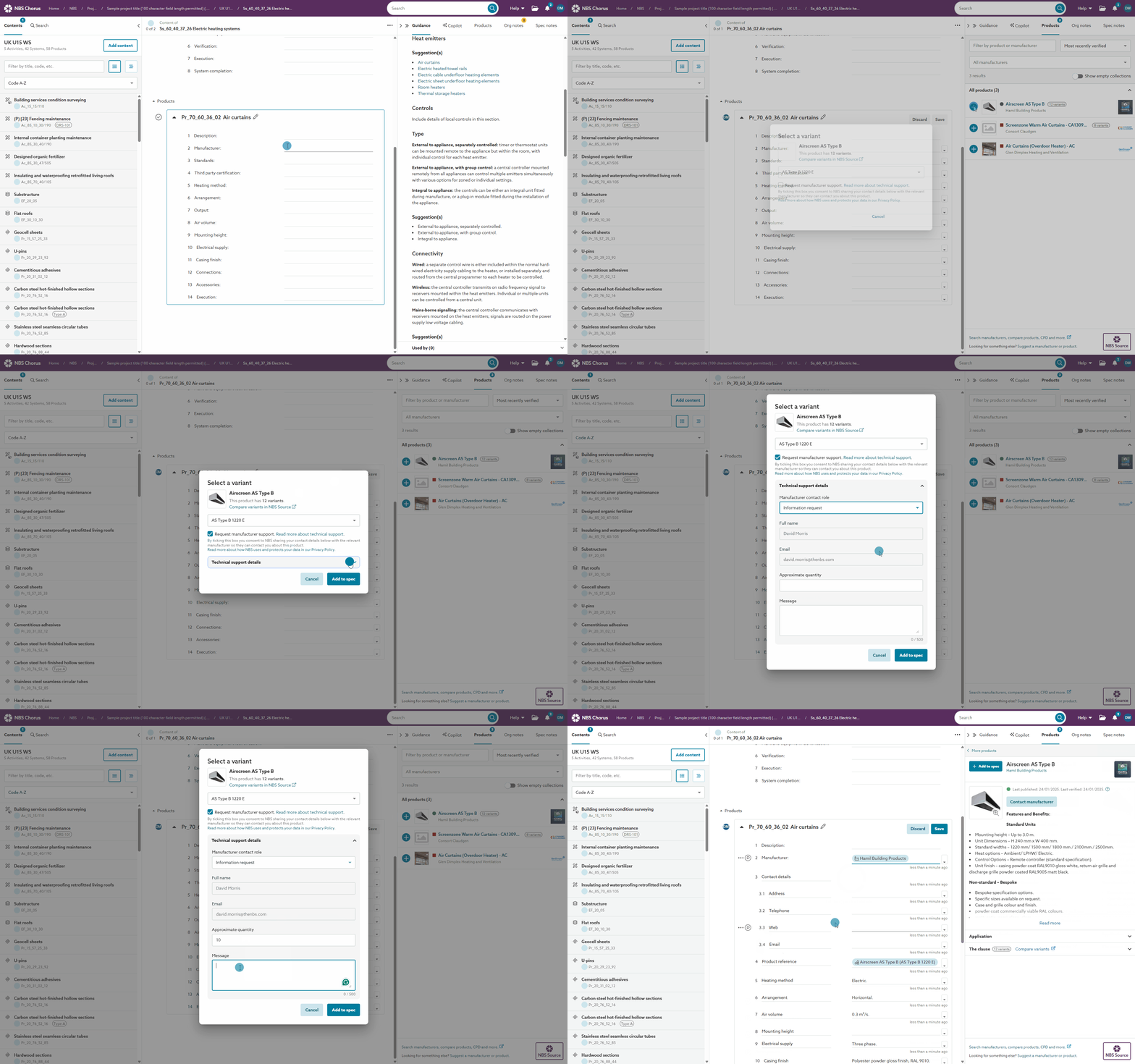
A screen capture of the 'Request manufacturer support' process.
Summary
This option, designed to facilitate communication, allows you to contact the manufacturer about the product you specify. However, the project 'Data sharing' preference and the manufacturer's preference affect how it works.
- ‘Request manufacturer support’ is optional and is unchecked by default.
- You may not always want to request manufacturer support, such as when adding products that you are familiar with specifying.
- The checkbox for ‘Request manufacturer support’ is unchecked by default.
- When ‘Request manufacturer support’ is unchecked, the manufacturer does not receive your name and email.
- When the ‘Request manufacturer support’ is checked, the platform shares your full name and email address with the supplier.
- You can select the most appropriate contact from the ‘Manufacturer contact roles’ menu if the manufacturer has provided multiple contact options.
- Optionally, you can share the project's required quantity and a message.
- Source sends this information to the manufacturer by email.
- The option to ‘Request manufacturer support’ is shown when:
- You have set the project’s data sharing to ‘Standard sharing.’
- 'Request manufacturer support’ is not shown for ‘Enhanced sharing’ projects.
- The manufacturer supports specifier support requests.
- Manufacturers can choose not to provide specifier support. The ‘Request manufacturer support’ option is only shown when this service is offered.
- You have set the project’s data sharing to ‘Standard sharing.’
Related articles for engaging with Construction product manufacturers:
How to ‘Request manufacturer support’
When you add a product from Source to your specification, the ‘Request manufacturer support’ is shown. You can do this via the ‘Products’ panel or the copy-and-paste and drag-and-drop routes from Source.
Related articles for adding products to your specification:
- Specifying construction products
- Drag and drop products from NBS Source
- Adding manufacturer product details from NBS Source
Step-by-step process:
- Click the ‘Request manufacturer support’ checkbox.
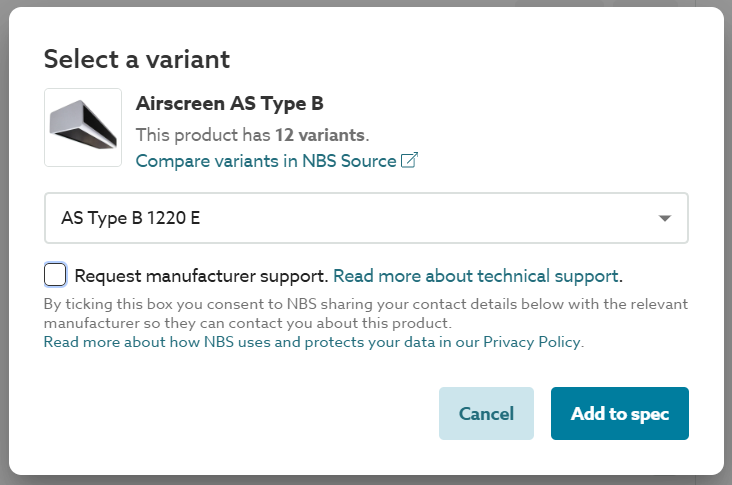 A screenshot of the 'Request manufacturer support' checkbox.
 - Click ‘Technical support details’ to provide additional information to the manufacturer.
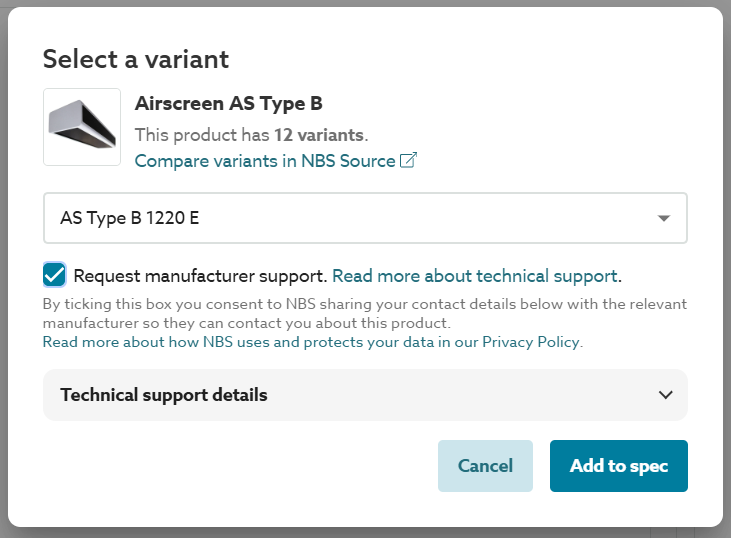 A screenshot of the 'Technical support details' is shown when the 'Request manufacturer support' option is checked.
 - Optional – select the ‘Manufacturer contact role’.
If the manufacturer has provided multiple contact options, direct your query to the most appropriate contact.
If the manufacturer has not provided additional contact options, this field will be hidden, and your request will be sent to their primary email address.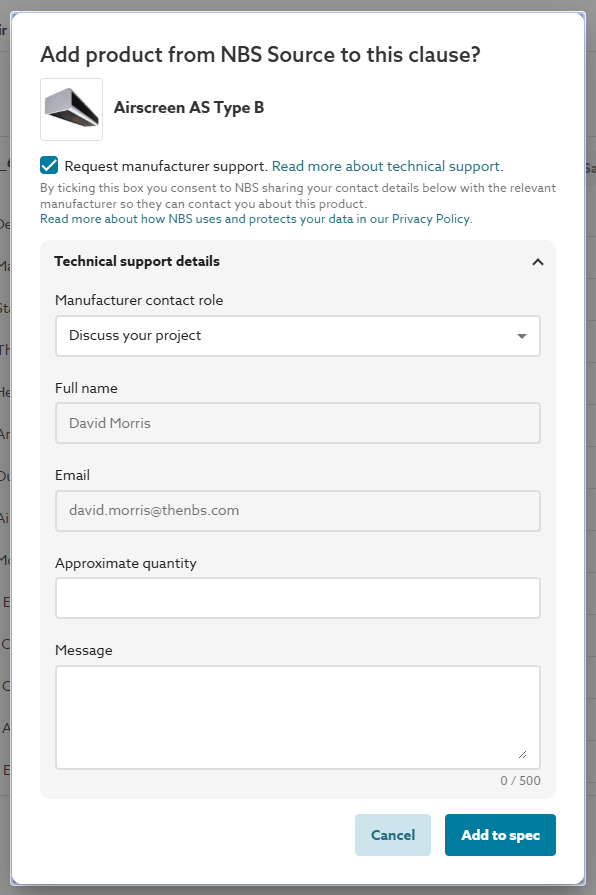 A screenshot of the 'Manufacturer contact role', 'Approximate quantity' and 'Message' fields.
The 'Manufacturer contact role' is the same information provided by the manufacturer on their 'Overview' page on Source.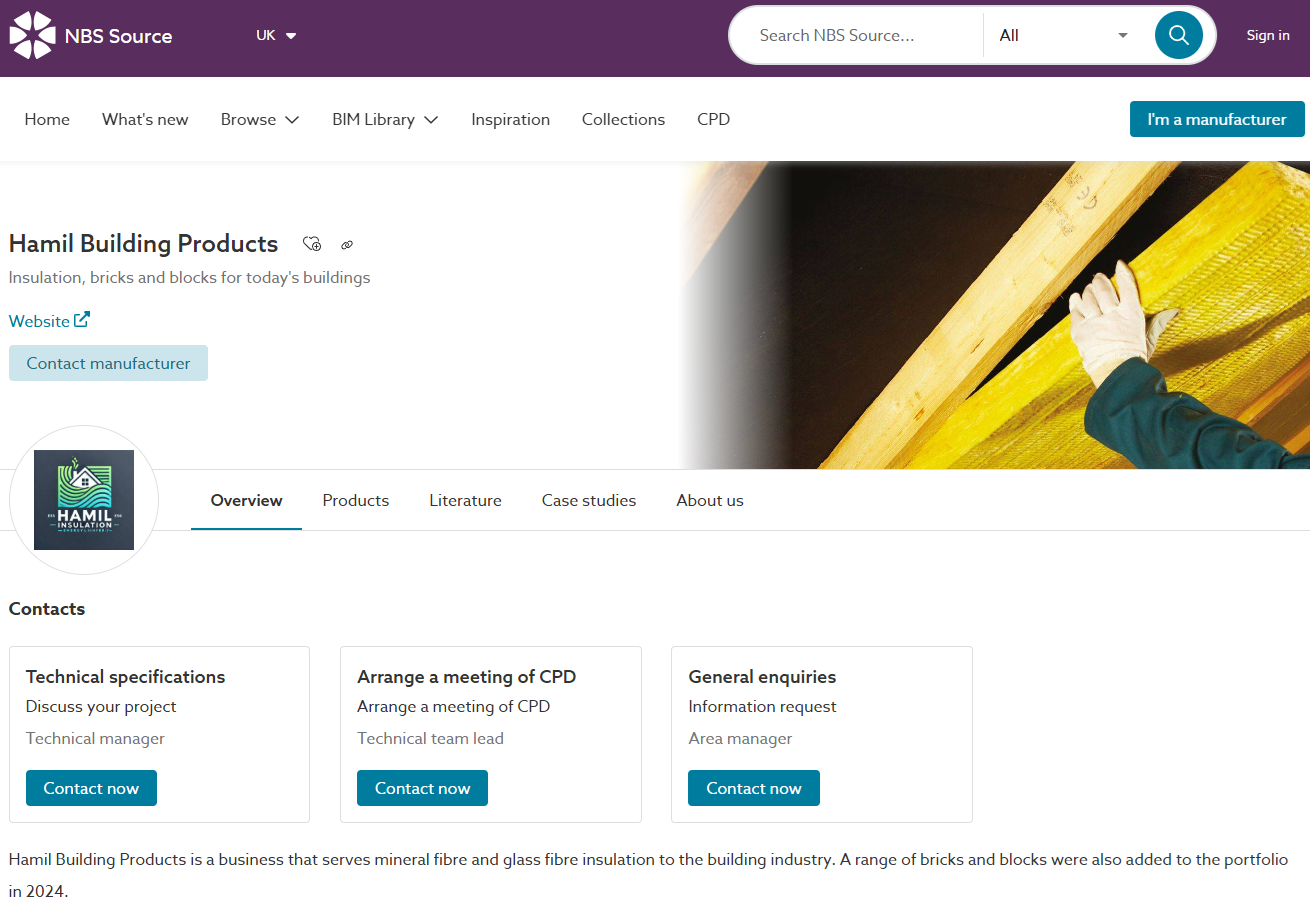 A screenshot of the contact details on the 'Overview' page for a manufacturer on Source'.
 - Optional – enter the quantity required for your project.
- Optional – enter your message.
What happens on ‘Add to spec’
When you request a manufacturer’s support, the platform will:
- Share your full name and email address with the manufacturer.
- Send your support request to the manufacturer by email.
- The email will include:
- The name of the product you have added to your specification.
- Your full name.
- Your email address.
- The 'Manufacturer contact role', when selected.
- Your approximate quantity, when entered.
- Your message, when entered.
- The email is sent from no-reply@thenbs.com/ no-reply@lattira.com.