
The specification platform can:
Keep track of changes to the specification.
Save publishing specifications to the 'publish history'.
Show the changes compared with a previous record in the publishing history.
Please Note - Revisions are available to 'Chorus Pro' (and above).
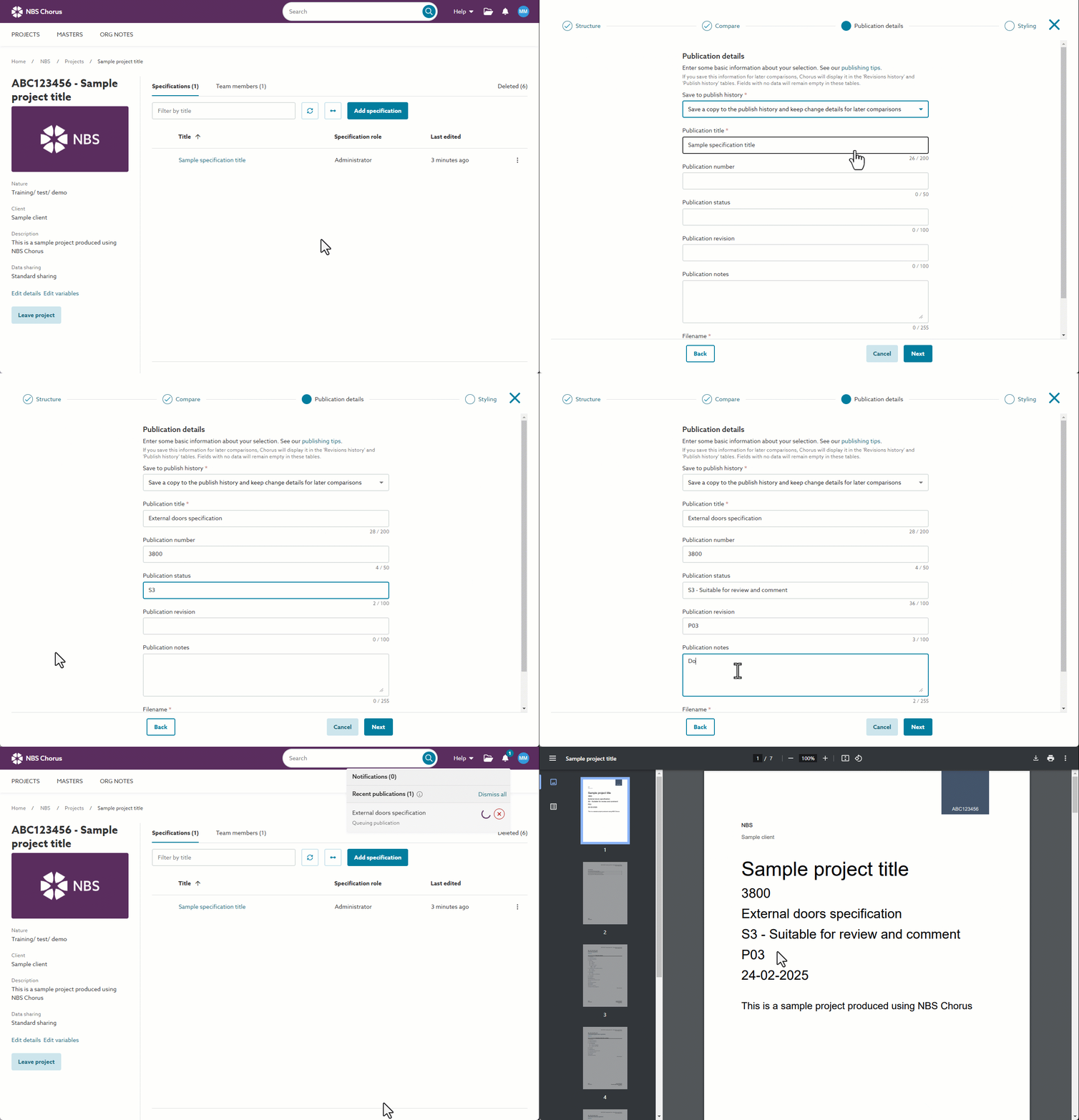
Versioning your specification and saving to the publish history
- Enter the key details of the current specification and have them appear on the cover page document. You can enter the:
- Publication title
- Publication number
- Publication status
- Publication revision
- Publication notes
- Choose to save the version of the specification you are publishing to the 'publish history'.
Related articles:
Entering Publication details and saving to the publish history
How to publish your specification with revision labels
Compare with a specification in the publish history and show how the systems and sections have changed
- Compare the specification you are publishing now with a previous version you have saved in your publish history.
- Show change labels against system and section titles to indicate how the specification has changed.
- So, for example, you can show if a system or section has been 'Added', 'Deleted' or 'Revised' since the version you are comparing.
Show which articles and clauses have changed
- Compare the specification you are publishing now with a previous version saved in your 'Publish history'.
- Show change labels against articles/ clauses to indicate which parts of the specification have changed.
- So, for example, you can show a label when an article or clause has been 'Added', 'Deleted' or 'Revised' since the version you are comparing against.
- Show change labels against systems when you publish your Uniclass-based specification, by the 'Grouped systems' by code format.
- Download previously published specifications from your 'Publish history'.