
'Update' is used for updating projects in progress or masters. Updates are shown when there are updates to the technical information in platform. Updates may also be shown when articles or clauses that you have copied from a Master have been changed (these types of updates are referred to as 'Master Change Notifications').
This article relates specifically to updates to the technical information in the platform rather than Master Change Notifications. Please refer to the separate Master change notifications - an overview support article for information regarding Master Change Notifications.
Update availability
Update is available for the Australia and UK Uniclass and UK CAWS content sets (preliminaries and work sections).
The technical information in each content set is changed to keep in step with best practice and standards. When the content sets are revised, the update tab will notify you about which parts a specification should be reviewed. It is important to review this information to ensure your specification, where appropriate, makes use of the latest technical information.
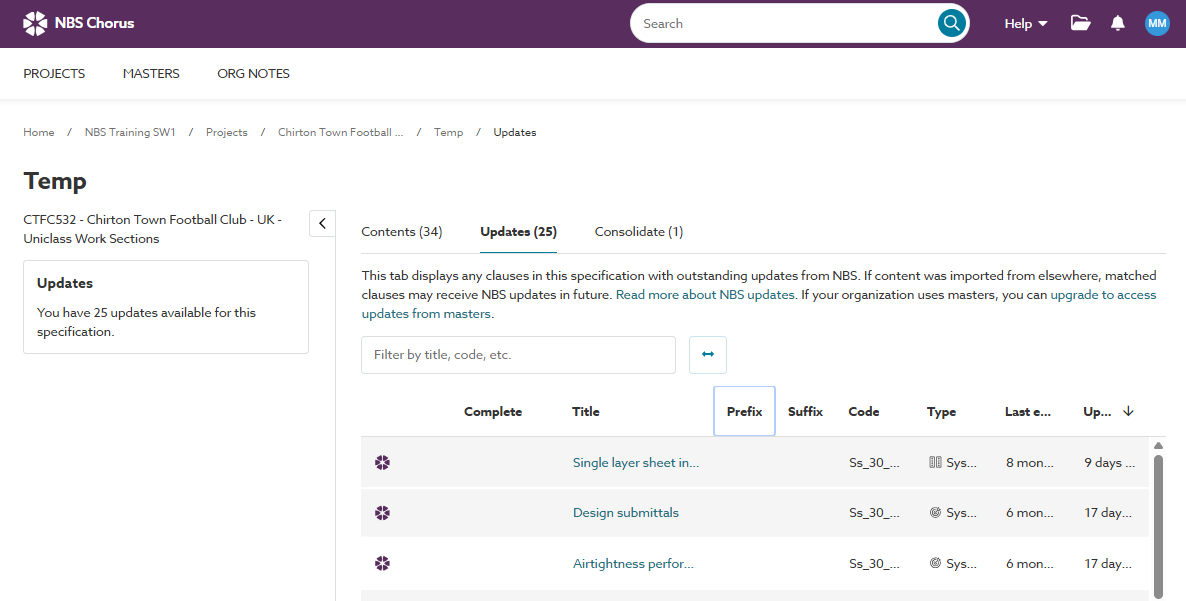
We recommend referring to the technical update notes that accompany a content set update when you are using ‘Update’. The notes highlight the key areas where changes have been made.

Technical update notes are posted to the 'Technical content releases' page for every content set change. For convenience, these can be accessed from the 'Help' menu in the platform.
Background
As part of your subscription, the technical information in the content sets are updated throughout the year.
The content sets contain pre-written templates that are used as the basis for specifications. The templates are often referred to as articles/ clauses/ systems/ sections, depending on the content set. The templates are what you add to your specification. They contain pre-written technical information and guidance and you complete them to produce your specification.
We frequently review the templates for technical accuracy and compliance with best practice and standards. Newer versions are made available in content set updates several times a year. 'Update' is how the platform notifies when the templates in an existing project specification or master have been revised and newer templates are available.
(See Understanding the different terms used in the different content sets for more on these terms).
When you search or browse and add a template from the content set to your specification you are adding the latest version available. You can only add the current templates from the content set.
But what about templates that have already been added to a specification. Also what if you want to reuse previous project specifications. In these scenarios, update will help to ensure the technical information can be brought up-to-date.
Related articles:
Update notifications for Uniclass specifications