Applies to: Australia and UK Uniclass work sections content sets
A broken link is when there is a link to a clause, but the body of the clause is missing.
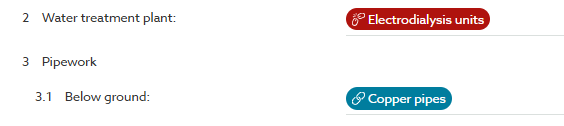
Broken links have a red background
In this example screenshot, the ‘Electrodialysis units’0link is a broken link and the ‘Copper pipes’ is a full clause. When you click on ‘Copper pipes’, the platform will jump you to the body of that clause. Clicking the broken link will allow you to fix it.
How do broken links happen?
Broken links occur when a clause is removed without considering its original context. For instance, deleting a product clause from the contents panel instead of removing it from the system it references.
For more information on broken links, please see How to remove a product clause from a system.
What do broken links look like in the published specification?
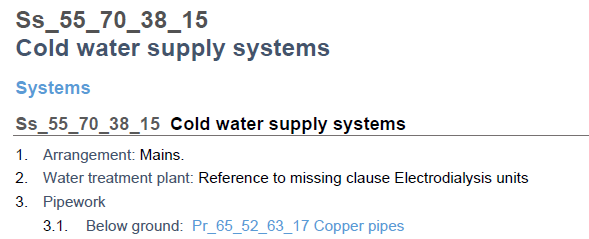
You can publish your specification with broken links in it, these do not have a code and are displayed as text. Clauses with broken links are preceded by “Reference to missing clause”.
In the example screenshot above, ‘Electrodialysis units’ is a broken link, and ‘Pr_65_52_63_17 Copper pipelines’ is a linked clause. In the soft MS Word and PDF exports, full clauses are hyperlinks which will jump the reader to the body of the clause, whereas clauses with broken links will be displayed in plain text (e.g. Reference to missing clause Electrodialysis units).
How do you fix a broken link?
So there are 2 courses of action with broken links:
Scenario 1 - The clause has been removed from the spec intentionally and the link is no longer needed.
Action - In this situation, just delete the link by clicking to the right of it and deleting it with a keyboard backspace.
Scenario 2 - The clause should be in the specification and the link needs to be fixed.
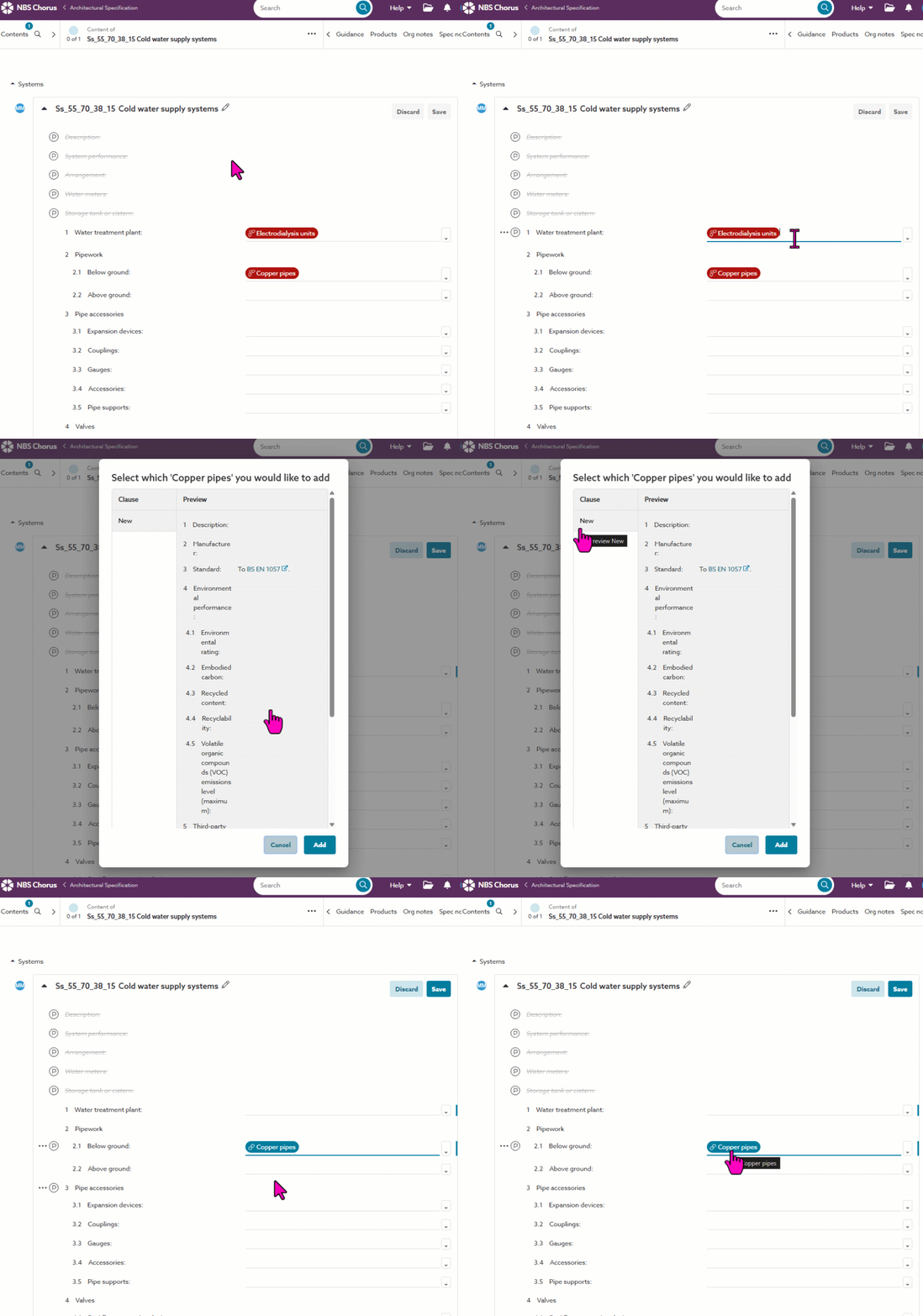
Action - To fix it, click on it. This will open a preview of all versions of that clause currently in the spec or allow you to bring in a new version of the clause in from the content set. Select the appropriate clause and the link is fixed. The background will turn from red to blue.
How to find where you have broken links
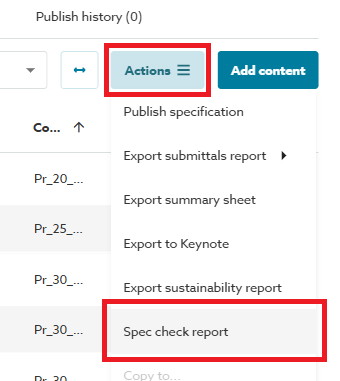
It is easy to find where you have left broken links in your spec using the Spec check report via the Actions button when viewing your spec.