
Applies to: Australia and UK Uniclass work sections content sets
In the 'Uniclass - Work sections' content set, you can add a 'Placeholder' clause to your specification instead of adding the full clause. Placeholders are a way to show intent to add one or more clauses later. So you can bring in a placeholder clause and return to it later. It is perfect when you have not decided what you want to use yet.
Related: Use the Spec check report to find part of the specification needs attention. The 'Spec check' report shows where 'Placeholder' clauses exist in a spec.
Placeholders have a grey background
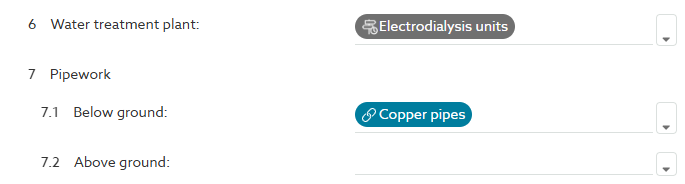
Placeholders have a grey background instead of a blue background. In this example screenshot, ‘Electrodialysis units’ is a placeholder and ‘Copper pipelines’ is a full clause.
When you click on ‘Copper pipelines’, the platform will take you to the body of that clause. By contrast, the placeholder clause hasn’t yet been added to the spec.
How to add a placeholder
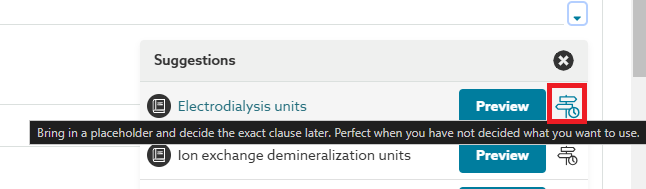
To add a placeholder clause, click on the Placeholder icon (signpost) to the right-hand side of each drop-down menu. Placeholders are available for all pre-written authored clauses.
What do placeholders look like in the published specification?
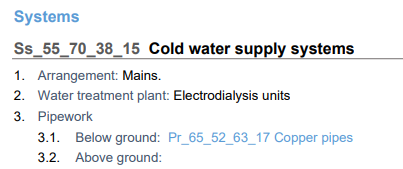
You can publish your specification with placeholders in it; they do not have a code and are displayed as plain text in the specification.
In the previous example screenshot, ‘Electrodialysis units’ is a placeholder, and ‘Pr_65_52_63_17 Copper pipelines’ is a full clause. In the soft MS Word and PDF exports, full clauses are hyperlinks that jump the reader to the body of the clause, whereas placeholder clauses will appear as plain text with their clause name (e.g. Electrodialysis units).
How to turn a placeholder into a full clause
When you are ready to turn a placeholder into a full clause, simply click on it then the Add button to bring in a full version of the clause. This will bring in the latest clause content and guidance from the content set. So you do not have to worry if you had added the placeholder in the past, you will get the latest version of that clause available in the content set.

How to remove a placeholder
If you no longer need the placeholder, simply delete it using the delete or backspace keys on your keyboard.
How to find where you have left placeholders
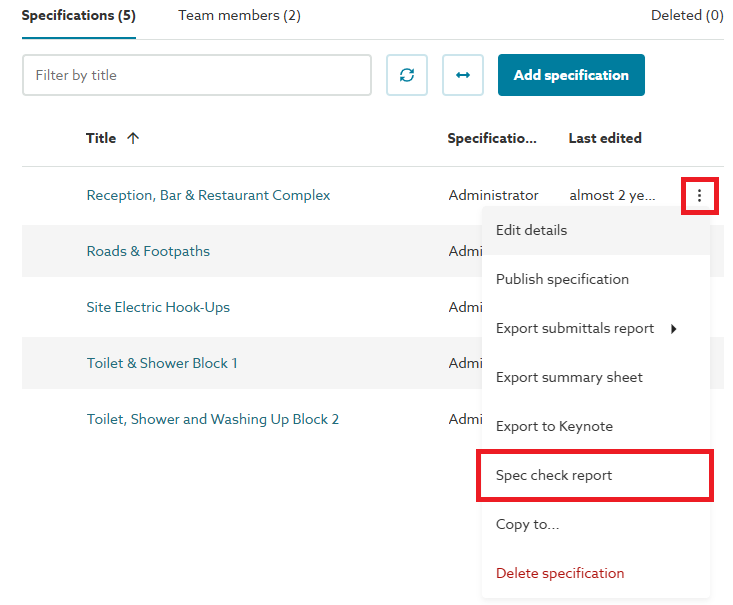
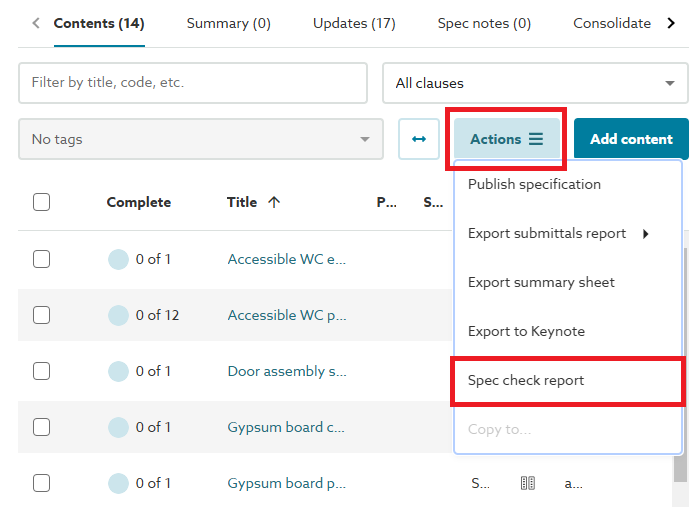
It is easy to find where you have left placeholders in your spec using the Spec check report, export this via the 3 dot menu button from the specifications list view, or the Actions button from the contents list view.
 |  |