The simple answer is YES!
There is a number of ways you can do this:
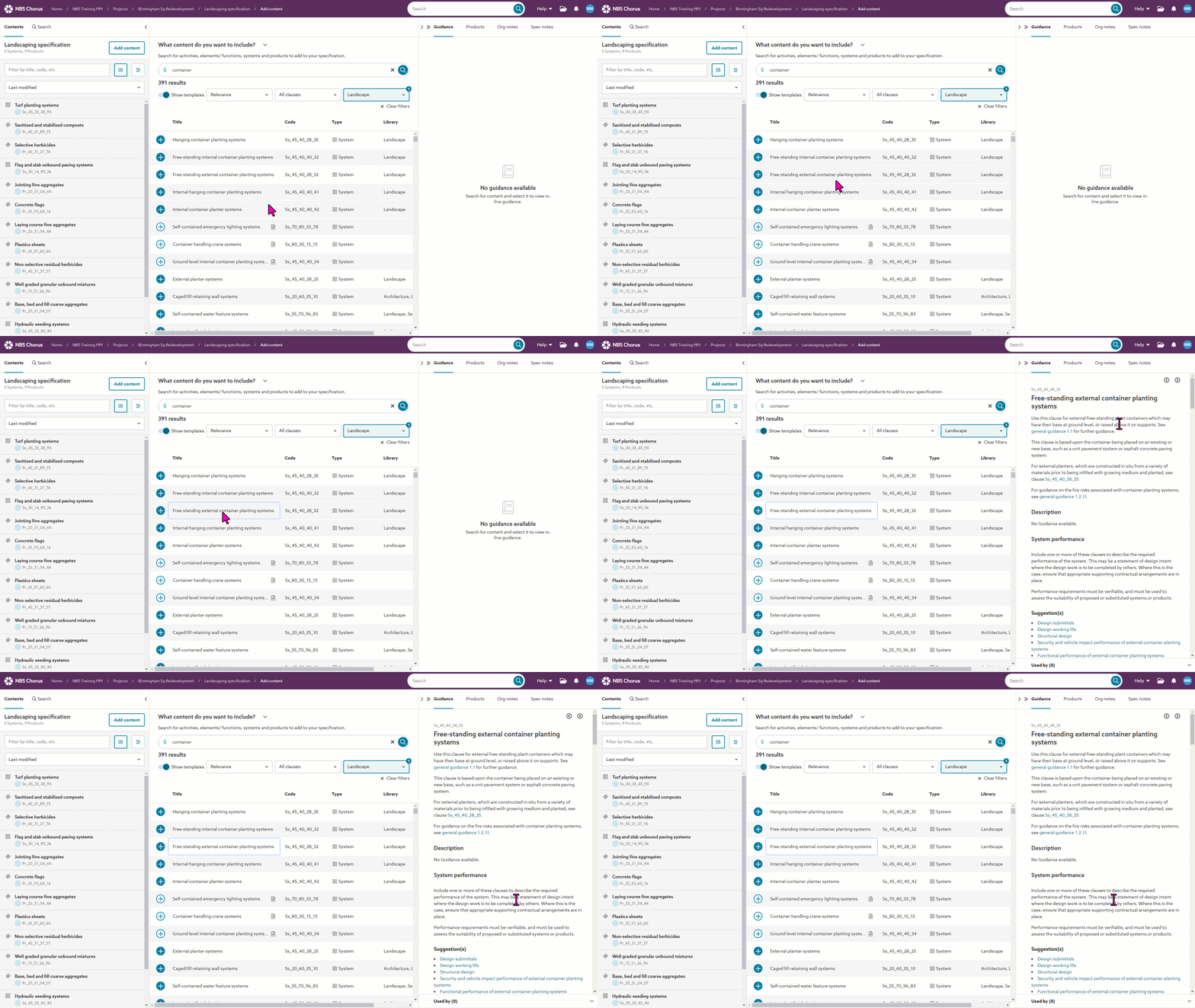
1) When you have completed a search and you can see all the returned results, if you click on the title of a clause, the Guidance panel on the right of the screen will update to give you the relevant information relating to that clause. The screen image below shows this in action:
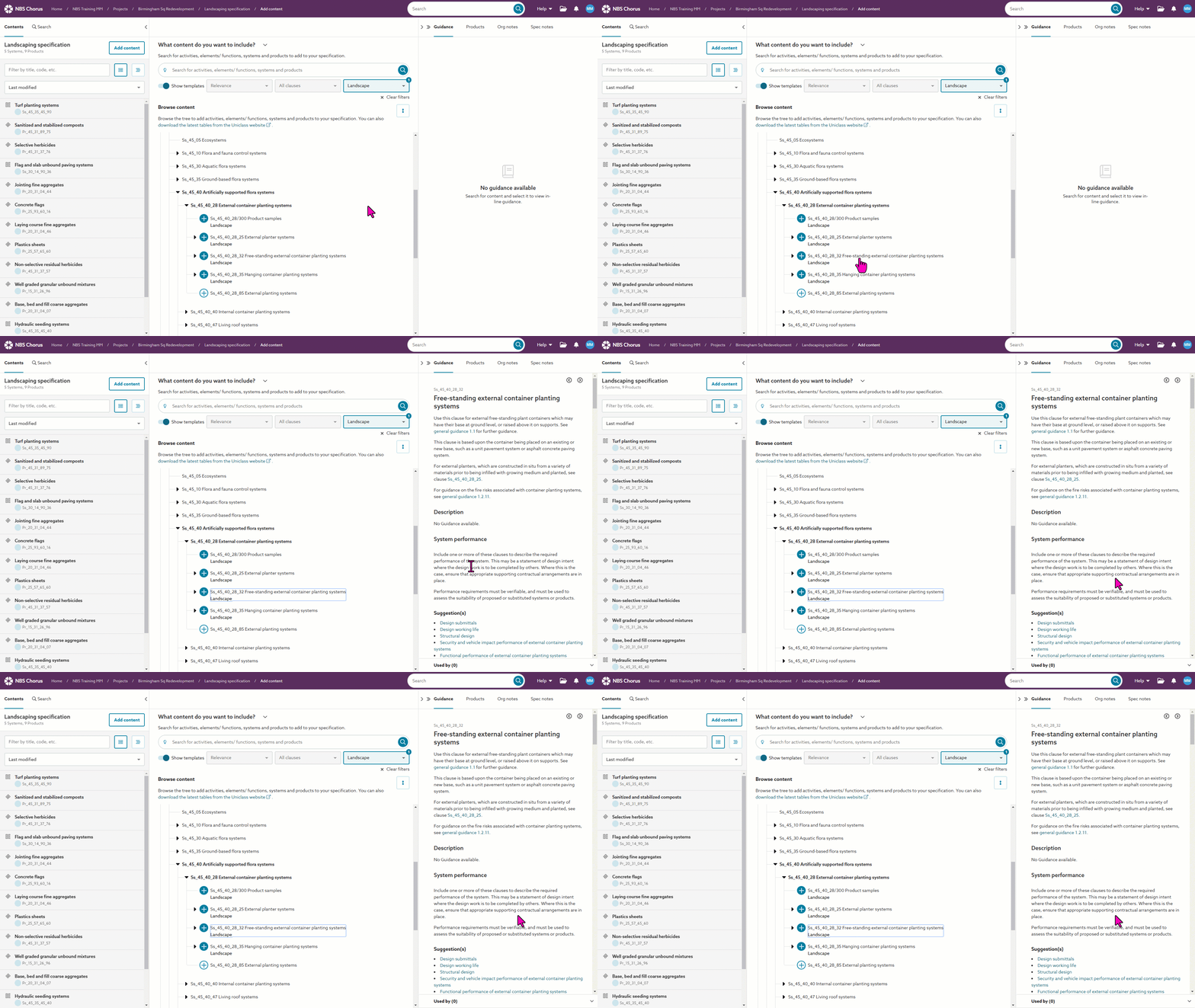
2) When using the Browser content tree view, if you click on the title of a clause, the Guidance panel on the right of the screen will update to give you the relevant information relating to that clause. The screen image below shows this in action:
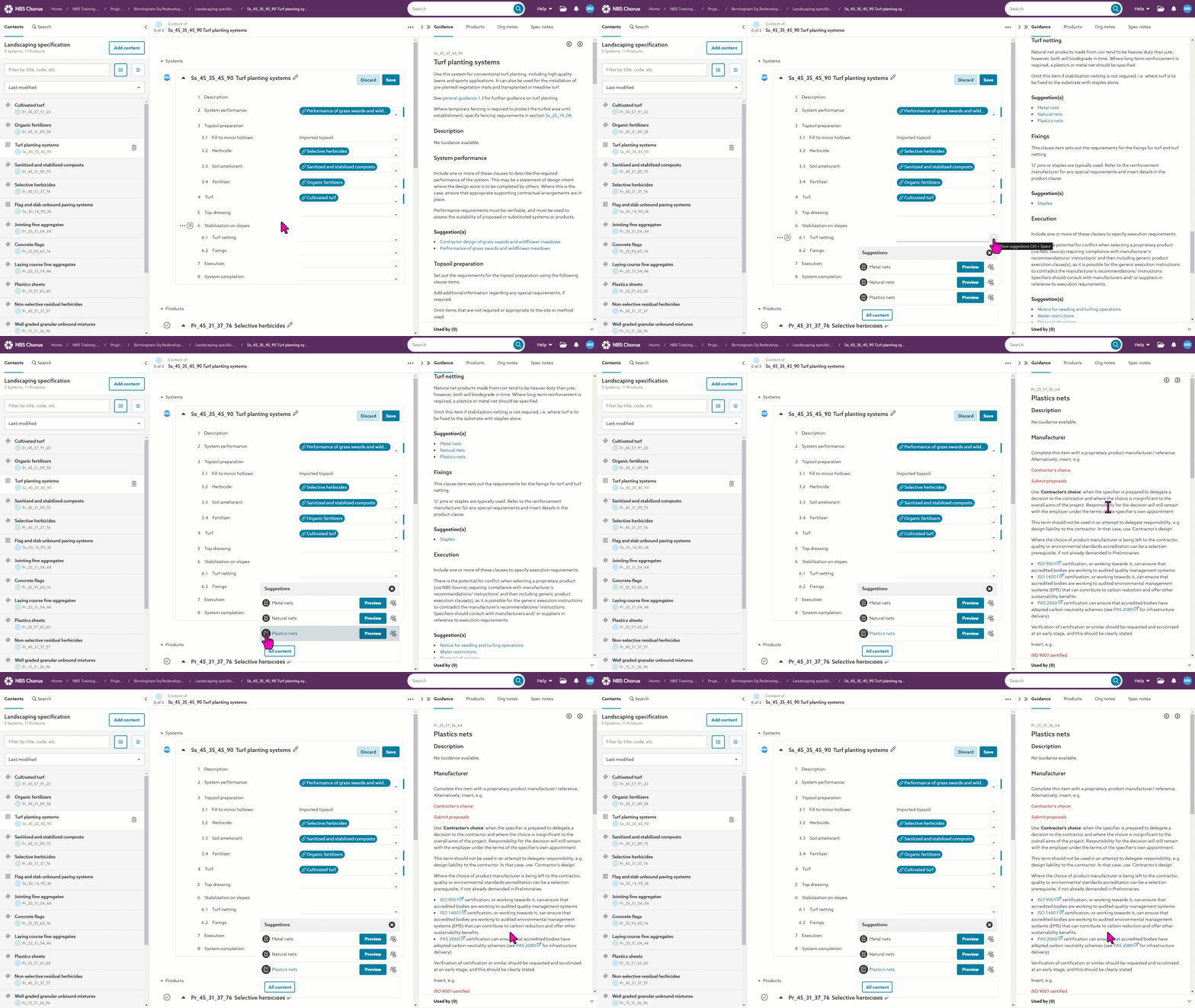
3) When viewing a suggestions list containing clause suggestions, if you click on the grey book icon to the left of a clause, the Guidance panel on the right of the screen will update to give you the relevant information relating to that clause. The screen image below shows this in action:
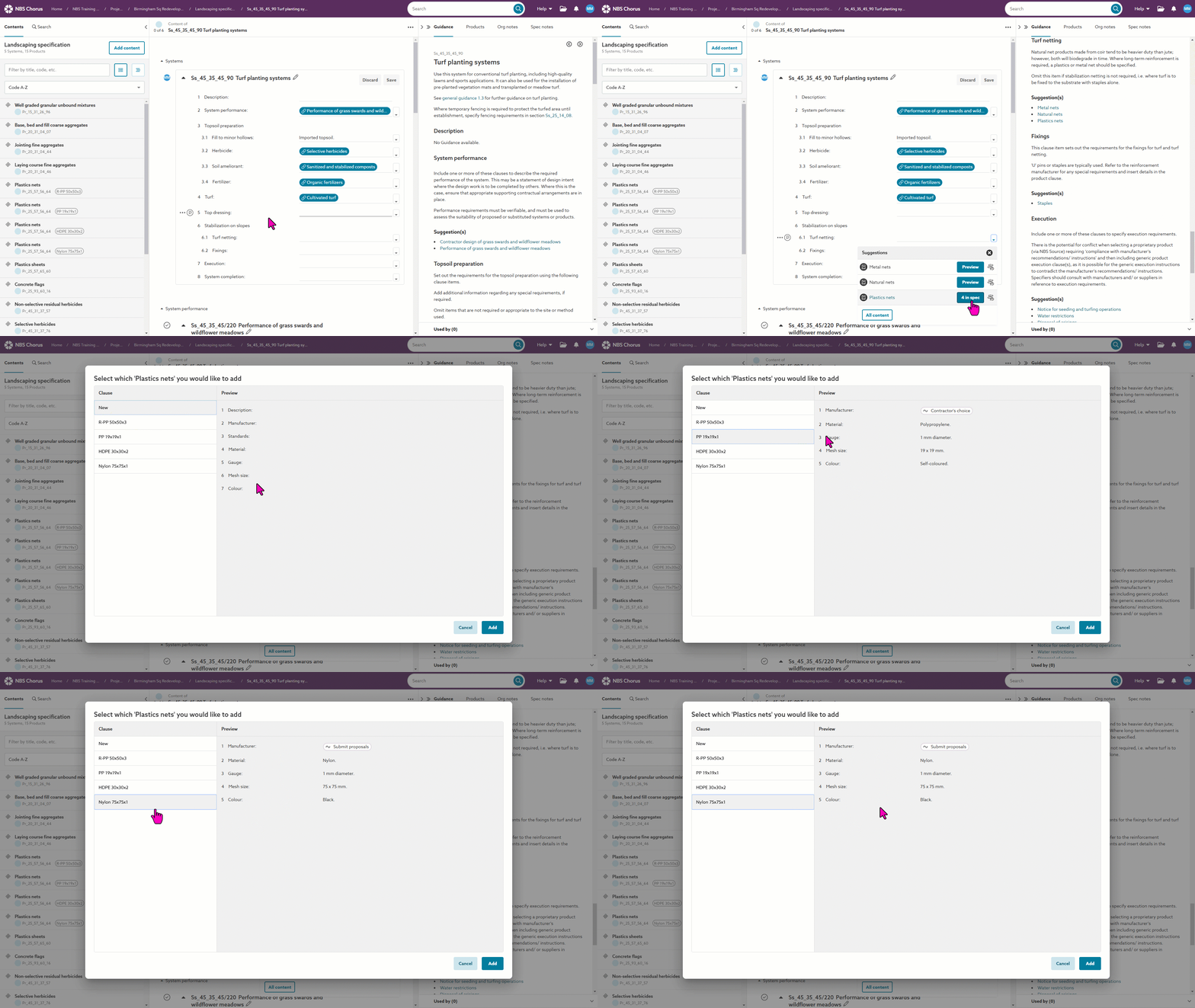
4) When viewing a suggestions list containing clause suggestions, any existing versions of the clause can be viewed and added from the 'x in spec' button. The 'Select which ...' dialog allows you to add a New clause, or view, add and link to any version of that clause that is already in the specification. The screen image below shows this in action:
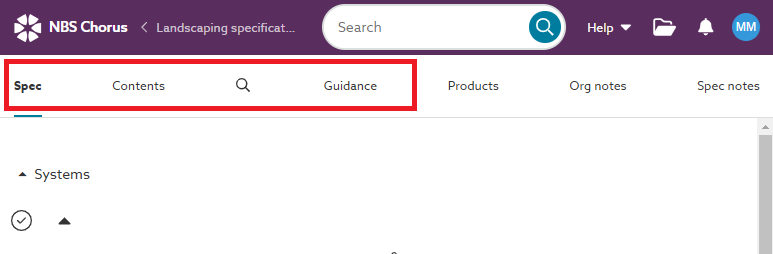
If you are viewing on a smaller screen/ device, you can switch between the specification view, the guidance view and the contents view by clicking on the relevant tab at the top of the screen.