
If you wish to publish or export a defined selection of content from your specification, you can do this in the following way.
1. Click into the Project, then Specification containing the content you wish to publish or export.
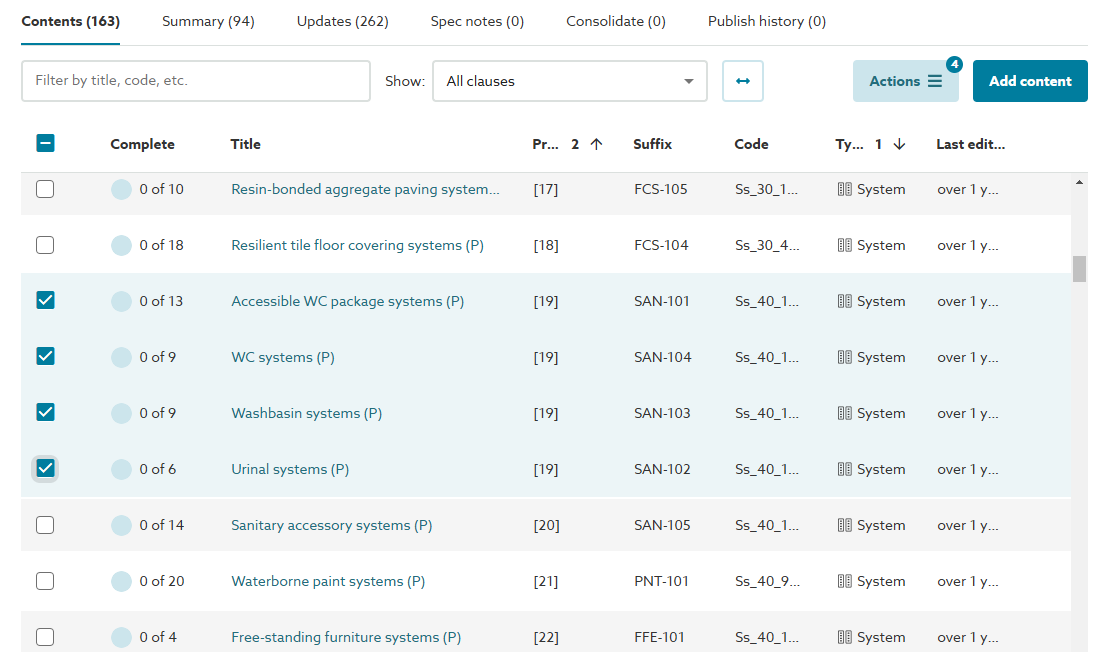
2. You will then see the Contents list. Select (tick) the checkbox(es) next to the content you wish to publish or export.
Please note: for AU/UK Uniclass Work Sections specifications. Any clause(s) linked to the content selected from the contents list will also be included automatically in the published/ exported document.
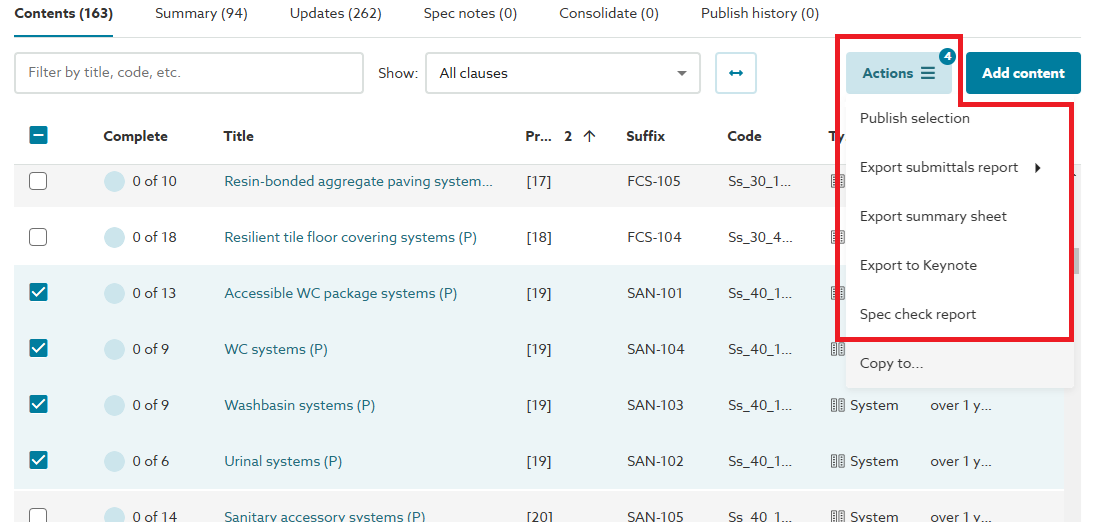
3. The Actions button will display a badge indicating how many items of content have been selected. Click on the Actions button and select either the Publish selection, one of the Export... options* or the Spec check report option as required.
*Please note: the export options may vary from those shown below, depending on the content set used and your organizations subscription.
If publishing the selected content, complete the remaining publishing steps as you would normally.
Please refer to the other publishing and exporting topics located in the Publishing section for further information.
Video overview of publishing and exporting a selection of your spec
The short video (no audio) below demonstrates how to select, then publish or export the details of the selected content.