
Once you have clicked on a Project, you'll be taken to the Specifications page.
TABLE OF CONTENTS
- If the project does not currently contain any specifications
- If the project already contains one or more specifications
- Choosing your content
- Video overview of creating a new specification
If the project does not currently contain any specifications
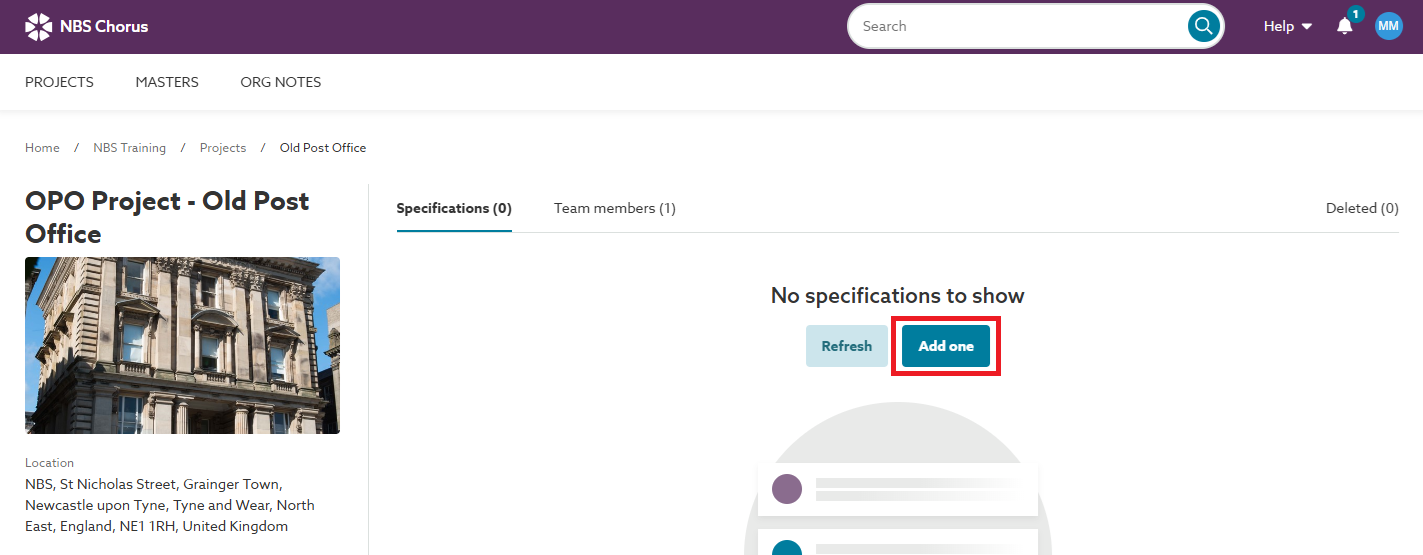
To create a new specification for the project, click the Add one button.
If the project already contains one or more specifications
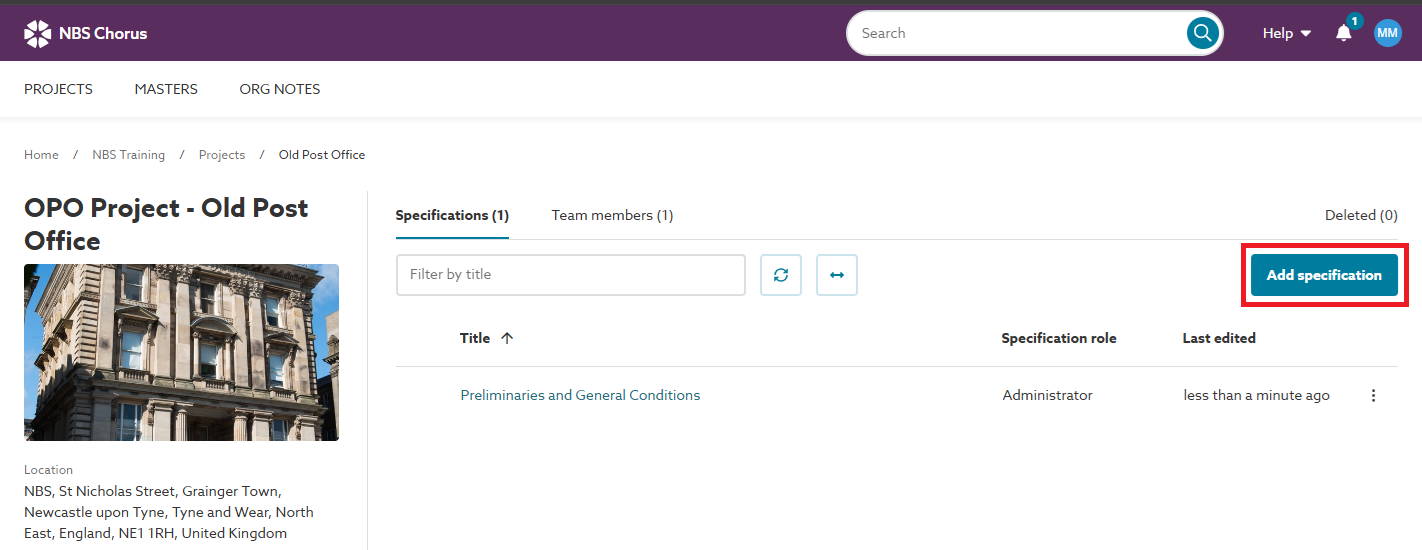
To create a new specification for the project, click the Add specification button.
Choosing your content
You will then be required to enter a Specification title and choose a Content set (content sets which are not available with your subscription will be displayed with a grey font colour and cannot be selected).
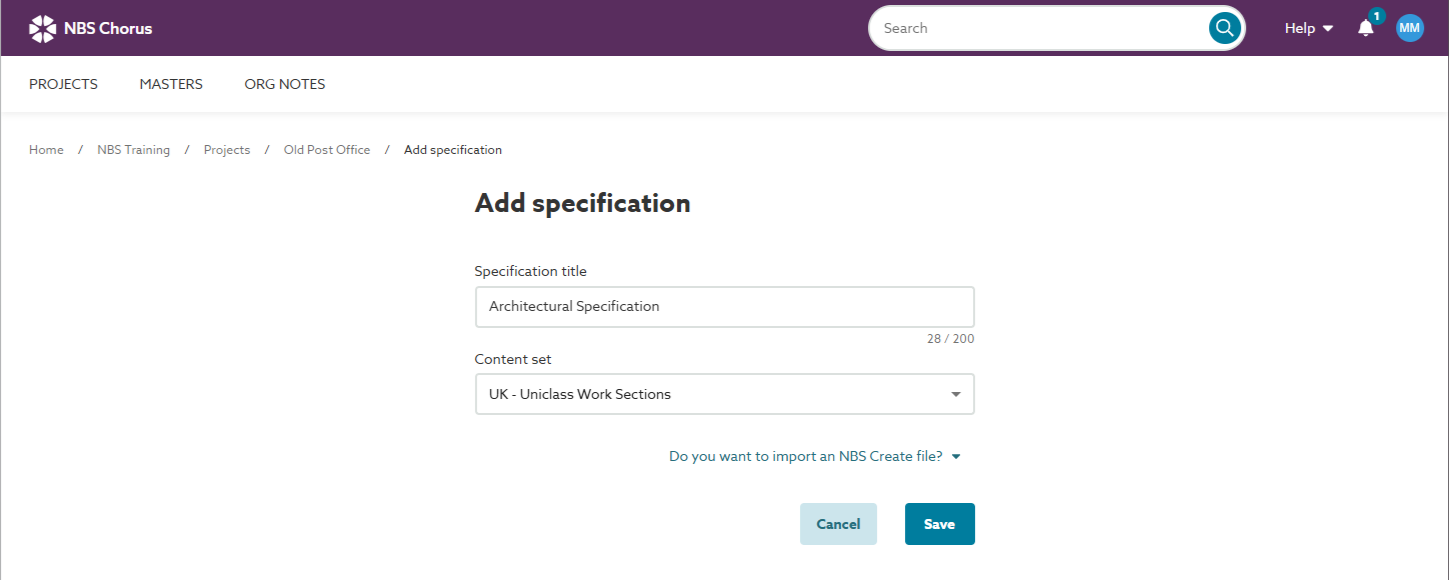
Once the required details have been entered/ selected click on the Save button. The specification will be created and you will be taken into the Add content view.
Video overview of creating a new specification
The short video (no audio) below demonstrates how to create a new specification.