
You can show all the articles and clauses in your specification on the 'Shecule' tab. This is helpful, for example, when you want to park all incomplete items in bulk.
To show all articles and clauses on the 'Schedule' tab, there are two checkboxes:
- 'Show all articles or clauses' – selecting this option will display unparked articles and clauses in the document.
- 'Show parked articles or clauses' – checking this will show parked articles and clauses in the document.
- Please note that this option is hidden for 'Uniclass - work section' specifications, which do not support parking clauses.
Related articles:
- Adding and removing tags in bulk
- Parking articles and clauses in bulk
- Marking items as complete or incomplete in bulk
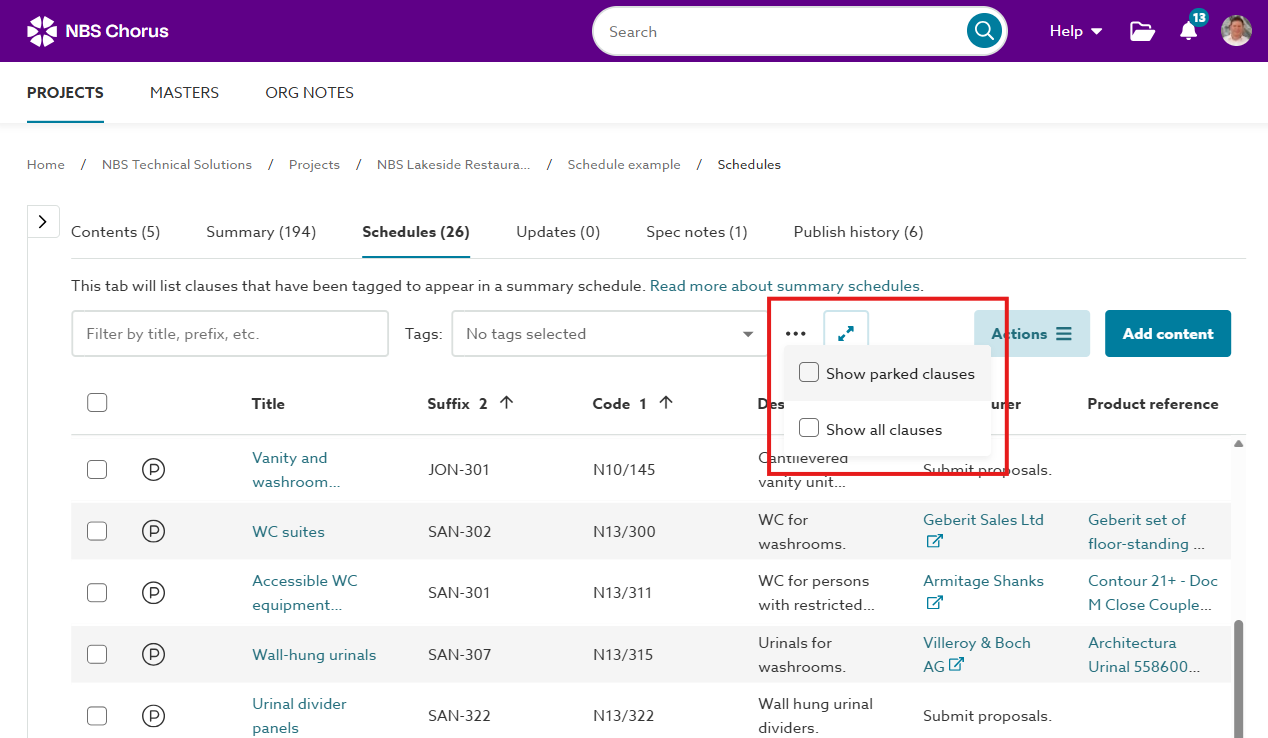
A screenshot of the 'Show parked articles or clauses' and 'Show all articles or clauses' in the 'Schedule' tab.